

A SaaS website is a website that promotes and supports software delivered to customers through the internet. SaaS stands for Software as a Service, which means users usually access software through a web browser instead of installing and maintaining it on their own computers or servers. Popular SaaS products include project management platforms, accounting software, customer relationship management systems, communication tools, and marketing platforms.
What Is a SaaS Website and Why Does It Matter?
A SaaS website serves as the main online presence for a software company and helps visitors understand, evaluate, and start using its product. Unlike a simple company website, a SaaS website often needs to explain how the software works, demonstrate its features, present pricing, answer customer questions, and guide visitors toward registration or purchase.
What Does a SaaS Website Include?
A well-designed SaaS website usually contains several types of content that support different stages of the customer journey. Common elements include:
- Product and feature pages
- Pricing and plan information
- Free trial or signup pages
- Product demonstrations
- Customer testimonials and case studies
- Integration and compatibility information
- Blog articles and educational resources
- Knowledge bases and documentation
- Frequently asked questions
- Contact and customer support pages
Each element can influence a visitor’s decision to try or purchase the software. Clear product descriptions can explain the value of a solution, while transparent pricing can help potential customers compare plans and make decisions faster.
Why Is a SaaS Website Important?
A SaaS website can act as a central channel for marketing, customer acquisition, sales, and customer education. Visitors can discover the product through search engines, learn about its benefits, compare available plans, and register for a trial without speaking directly with a sales representative.
The website becomes even more important when a SaaS company targets customers in multiple countries. A website available only in one language can limit its reach and make international visitors less likely to understand the product or trust the company.
A SaaS website explains the product, attracts potential customers, supports conversions, and provides essential information throughout the customer journey.
Why Build a Multilingual SaaS Website?
Reach More International Customers
A multilingual SaaS website allows a software company to present its products to customers who speak different languages. English can reach a large international audience, but many potential customers prefer to research software and make purchasing decisions in their native language. Providing localized content can remove a language barrier that may prevent visitors from understanding the product.
Improve User Experience and Trust
Visitors are more likely to understand a SaaS product when its features, benefits, pricing, and instructions are available in their preferred language. Clear information helps users evaluate whether the software meets their needs and reduces confusion during the buying process. Using a customer’s language can also increase trust in a SaaS company. Customers may view a business as more accessible and committed to their market when important website content is available in their native language.
Increase Multilingual SEO Traffic
A multilingual SaaS website can target search queries in several languages and attract organic visitors from different markets. Each translated page can provide an opportunity to appear in search results for relevant keywords used by local audiences. Multilingual SEO can expand the potential search traffic available to a SaaS business. When translated pages are properly configured for search engines, companies can promote their products beyond the audience reached by their original-language website.
Support the Entire Customer Journey
SaaS companies should translate more than their homepage when they build a multilingual website. Important content can include product pages, pricing, signup pages, documentation, blog posts, support resources, and frequently asked questions. Consistent multilingual content helps users move from product discovery to registration and ongoing product use without switching languages.
A multilingual SaaS website can expand international reach, improve user experience and overall trust, increase multilingual search visibility, and make the customer journey easier for users in different markets.
See also: How to Build Trust through Website Localization
What Are the Options for Translating a WordPress SaaS Website?
- Manual Translation: Manual translation uses professional translators or in-house language specialists to translate website content from the original language into one or more target languages. This approach can provide high-quality results because a human translator can understand context, adapt technical terminology, and maintain the company’s preferred tone.
Manual translation can become expensive and time-consuming when a SaaS website contains hundreds of pages or receives frequent content updates. Every new product page, blog post, feature description, or documentation update may require additional translation work. - Machine Translation: Machine translation uses software to automatically convert website content into other languages without requiring a translator to translate every page manually. This approach can translate large amounts of content quickly and can reduce the initial cost of creating a multilingual website.
Machine translation is particularly useful for SaaS companies that publish content frequently or need to support several languages. However, automated translations can sometimes contain errors or use terminology that does not fit the product, industry, or target audience. - Machine Translation Post-Editing: Machine Translation Post-Editing (MTPE) combines automatic translation with human review and correction. The machine translation creates the initial version, while a human editor checks the result and corrects important issues such as terminology, grammar, style, and meaning.
MTPE can provide a practical balance between translation speed and content quality for SaaS websites. Companies can automatically translate large amounts of content and then focus human editing resources on high-value pages such as pricing, product features, signup pages, and technical documentation. - WordPress Translation Plugins: WordPress translation plugins provide a convenient way to create and manage multilingual versions of WordPress websites. They can automate translation, provide language switching features, and help website owners manage translated content without creating separate websites for every language.
Autoglot is a WordPress translation plugin that automatically translates WordPress-based SaaS websites into multiple languages. It can automate the translation process and continue translating new or updated content, which reduces the manual work required to maintain multilingual pages.
WordPress-based SaaS websites can use manual translation, machine translation, MTPE, or translation plugins, with automated WordPress translation offering a practical solution for fast and scalable multilingual content management.
Read more: How to Translate WordPress Website?
How Autoglot Automatically Translates WordPress SaaS Websites
Full Automation
- Autoglot provides fully automated translation for WordPress websites, which reduces the need for manual translation work. After configuration, the plugin can automatically translate website content into the languages selected by the site owner. This approach is useful for SaaS websites with many pages, frequent blog updates, or regularly changing product information.
- Autoglot can also automatically translate new and updated content as changes are made to the original website. Website owners do not need to manually identify every new piece of content and submit it for translation. This helps keep multilingual versions synchronized with the original website and reduces ongoing maintenance work.
SEO Compatibility
- Autoglot keeps translated website content SEO-friendly so SaaS companies can target users who search in different languages. Multilingual SEO is important because potential customers may use different search terms depending on their language and location.
- SEO-friendly translated pages can help a SaaS website reach additional organic search audiences without requiring a separate website for every language. Website owners can therefore use multilingual content as part of their international SEO strategy while maintaining the main WordPress website.
Pay Only for Translation
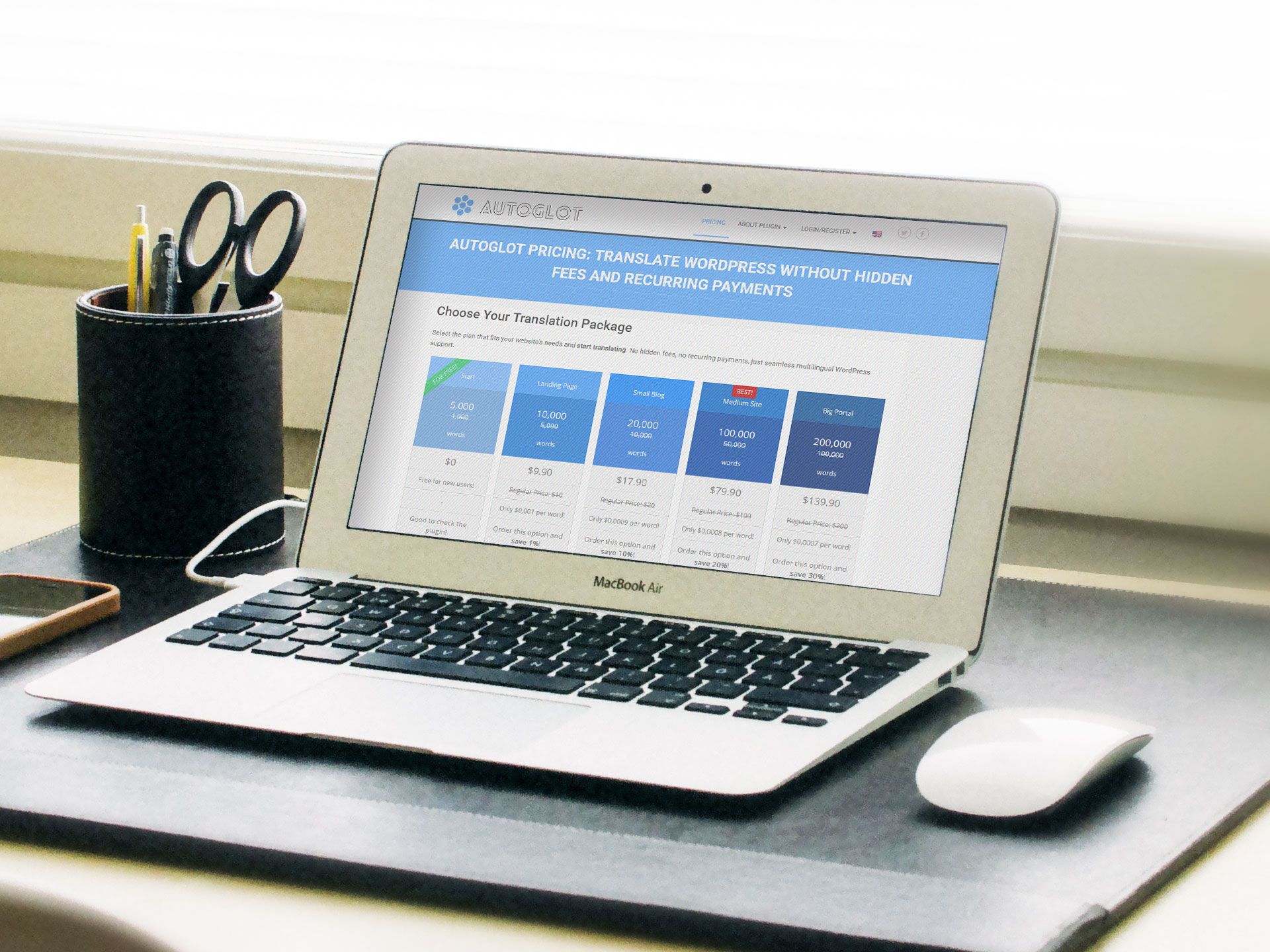
- Autoglot does not require a subscription simply to use the plugin or display translations that have already been created. This differs from many WordPress translation solutions that charge recurring fees for continued access to translated content.
- With Autoglot, users pay for the translation that is actually performed rather than paying a recurring fee for plugin usage. Once website content has been translated, continued use of the plugin is free, which can reduce the long-term cost of maintaining a multilingual SaaS website.
- This pricing model can also make translation costs easier to understand because expenses are connected directly to the amount of content translated. SaaS companies can translate the content they need and avoid paying monthly fees just to keep existing translations available.
Autoglot combines automatic translation, multilingual SEO support, automatic content updates, and usage-based translation costs in one WordPress solution. These features make it suitable for SaaS companies that need to publish and maintain content in multiple languages without adding extensive manual translation work.
See also: Multilingual SEO: 5 Best Practices to Remember
How to Translate a WordPress SaaS Website Automatically With Autoglot
Step 1. Install and Activate the Plugin
- The first step is to install Autoglot on your WordPress SaaS website.
- Open the WordPress dashboard, navigate to Plugins, select Add New Plugin, and search for Autoglot.
- Install the plugin and activate it to enable its translation features.
You may also download Autoglot directly from the official WordPress plugins repository.
Official Autoglot WordPress Repository
Step 2. Register With the Autoglot Control Panel
- Next, create an account in the Autoglot Control Panel to connect your website to the translation service.
- Register through the Autoglot website, obtain your API key, and enter it in the plugin settings in WordPress.
- The Control Panel allows you to manage your translation account and monitor your usage.
Autoglot Control Panel lets you control your translation expenses, track usage and order new translation packages.
Autoglot Control Panel
Step 3. Configure Languages and SEO Settings
- After connecting your website, configure the plugin to match your multilingual requirements.
- Select the original website language and choose the languages into which you want to translate your SaaS content.
- Start with the languages that match your target markets and expand as needed.
- Configure the language switcher so visitors can select their preferred language easily.
- Review the available SEO settings to ensure that translated pages use the appropriate multilingual URL structure and remain accessible to search engines.
- These settings help visitors and search engines find the correct language versions of your website.
A well-configured language switcher makes it easy for visitors to select required languages, while SEO settings help your translated pages rank in local search results.
How to add a language switcher to WordPress?
Step 4. Start Automatic Translation
- Once the configuration is complete, Autoglot can automatically translate your website content when visitors access translated pages.
- The plugin translates content as needed, so you do not have to translate every page manually before launching your multilingual website.
- Initial translation may take additional time while the plugin processes a page.
- Autoglot can also translate new and updated content automatically, reducing the work required to maintain multilingual versions.
- This is especially useful for SaaS websites that regularly publish blog posts, update pricing information, or introduce new product features.
Step 5. Check the Translated Website
- Finally, visit your translated pages and check whether the website works correctly in each selected language.
- Use Autoglot’s built-in Machine Translation Post-Editing editor to refine key articles, adjust industry terminology, improve writing style, or adapt marketing messages for local audiences.
- Review the homepage, product descriptions, pricing, signup forms, navigation, and documentation.
- Test the language switcher and check important translations for accuracy.
The Autoglot plugin allows you to manually edit the translations directly within the WordPress editor.
How To Edit Translation in WordPress?
Autoglot provides a straightforward process for creating a multilingual WordPress SaaS website, from plugin installation and language configuration to automatic translation and quality checks.
Best Practices for Managing a Multilingual SaaS Website
- Consistent terminology helps customers understand your SaaS product across all language versions of your website. Use the same translated terms for product features, interface elements, subscription plans, and technical concepts. Review important translations to ensure that they match the terminology used in your software and documentation. Autoglot allows website owners to refine automatically translated content through its Translation Editor.
- Some SaaS website pages require more careful translation review than others. Pricing pages, product descriptions, signup forms, legal notices, and technical documentation can directly affect purchasing decisions and customer understanding. Review these pages first when introducing a new language. Check prices, feature descriptions, calls to action, and instructions to ensure that visitors receive clear and accurate information.
- A multilingual SaaS website must reflect changes to the original content. Product updates, new features, revised pricing, and updated documentation can make existing translations inaccurate or outdated. Autoglot can automatically translate new and updated content, reducing the work required to maintain multiple language versions. Website owners should still review important changes when they affect technical details, pricing, legal information, or product functionality.
- Each language version should remain accessible to search engines and easy for visitors to find. Use SEO-friendly translated URLs, appropriate language metadata, and hreflang annotations where applicable. Review translated page titles and descriptions to ensure they match the content and search intent of the target audience. Regular checks can help identify missing translations, incorrect links, and other issues that affect multilingual navigation or search visibility.
- Automatic translation reduces ongoing work, while human post-editing helps improve accuracy where it matters most. Use Autoglot to translate content efficiently and its Translation Editor to refine important messages, technical terms, and conversion-focused pages.
Successful multilingual SaaS websites combine consistent terminology, accurate high-priority content, automatic updates, SEO checks, and targeted post-editing to provide a reliable experience for international customers.
See also: How To Launch a Successful Multilingual Business Online?
Conclusion: How to Make Your SaaS Website Accessible to International Customers
A multilingual SaaS website can help software companies reach new markets, attract international customers, and improve the user experience. By providing product information, pricing, documentation, and support resources in multiple languages, businesses can make their software easier to understand and more accessible to potential customers worldwide.
WordPress provides a practical platform for building multilingual SaaS marketing websites, and automatic translation can make this process faster and more affordable. Instead of translating every page manually, website owners can use a translation plugin to create multilingual content and reduce the work required to maintain it.
Why Choose Autoglot for SaaS Website Translation?
Autoglot offers a convenient solution for WordPress website owners who want to translate their SaaS websites automatically. Its automated translation process helps businesses create multilingual pages without manually translating every piece of content. The plugin can also translate new and updated content, reducing the effort needed to keep language versions current.
Autoglot provides several advantages for SaaS companies that want to expand internationally. These include:
- Fully automated website translation with minimal manual intervention
- SEO-friendly multilingual pages that support international search visibility
- Automatic translation of new and updated content
- No monthly subscription fees simply to use the plugin or display existing translations
- Payment based on the content actually translated
- Free continued plugin usage after translations have been created
- A built-in Translation Editor for reviewing and improving translations
Combine Automatic Translation With Human Review
Although automatic translation saves time, SaaS companies should pay close attention to the accuracy of important content. Product descriptions, pricing information, technical documentation, signup instructions, and legal pages may require additional review to avoid errors and maintain customer trust.
Autoglot’s built-in Translation Editor supports Machine Translation Post-Editing (MTPE), allowing website owners to refine translations when necessary. This approach combines the speed of automatic translation with human review of content that requires greater accuracy.
Ultimately, Autoglot helps WordPress SaaS businesses build and maintain multilingual websites with less manual work and predictable translation costs. By combining automation, SEO compatibility, and post-editing, SaaS companies can make their products accessible to international audiences while maintaining control over translation quality.